Four cores to sixteen.
Part 3 · the CPU
After part 2 every service had its own guest, and the bottleneck moved. Memory was fine at 64 GB, and storage was fine. The processor was not: one 4-core, 8-thread Xeon E5-2623 v3 was now shared between eleven containers, a desktop VM and a GPU workload whose CPU side wanted every thread it could get.
HOW IT SHOWED
Nothing fell over; the problem was arithmetic. Twelve guests shared eight threads, and the AI container, the one guest that could use every thread it was given, was capped at six cores so it would not starve the rest. On a hypervisor, CPU is the resource every guest competes for at once, and eight threads is not much to divide.
SEE WHAT THE HOST HAS, AND WHAT IT IS DOING
lscpu | grep -E 'Model name|Socket|Core|Thread'
nproc

# per-guest view: which containers are actually using the CPU
pvesh get /cluster/resources --type vm --output-format json \
  | jq -r '.[] | "\(.name)\t\(.cpu * 100 | floor)%\t\(.maxcpu) cores"'
THE CHOICE
First, what the board actually is and what it is running, all readable from Linux without opening the case:
BEFORE BUYING ANYTHING: WHAT IS IN THERE
sudo dmidecode -t bios | grep -E 'Vendor|Version|Release Date'
sudo dmidecode -t processor | grep -E 'Socket Designation|Version|Status|Core Count|Thread Count'
sudo dmidecode -t memory | grep -E 'Locator|Size|Speed' | grep -v 'No Module'
The processor table shows two sockets, one marked unpopulated. The memory table shows four 16 GB sticks, which on this board all have to sit beside the first CPU: the second socket's slots do nothing without a second CPU.
The Precision 7810 takes Xeon E5 v3 and v4 chips on socket LGA2011-3, and retired server parts for that socket are cheap and plentiful. The audit shortlisted two:
| CPU | CORES / THREADS | NOTE |
|---|---|---|
| E5-2623 v3 | 4 / 8 | what was fitted |
| E5-2680 v4 | 14 / 28 | the audit's value pick |
| E5-2697A v4 | 16 / 32 | 2.6–3.6 GHz, 145 W; the best all-rounder, and the one bought |
The 2697A v4 keeps a high clock while quadrupling the core count, which matters for a lab that runs both many small guests and one heavy inference workload. It goes in the same socket, so no other part of the machine had to change, and one socket stays free for later.
THE SWAP
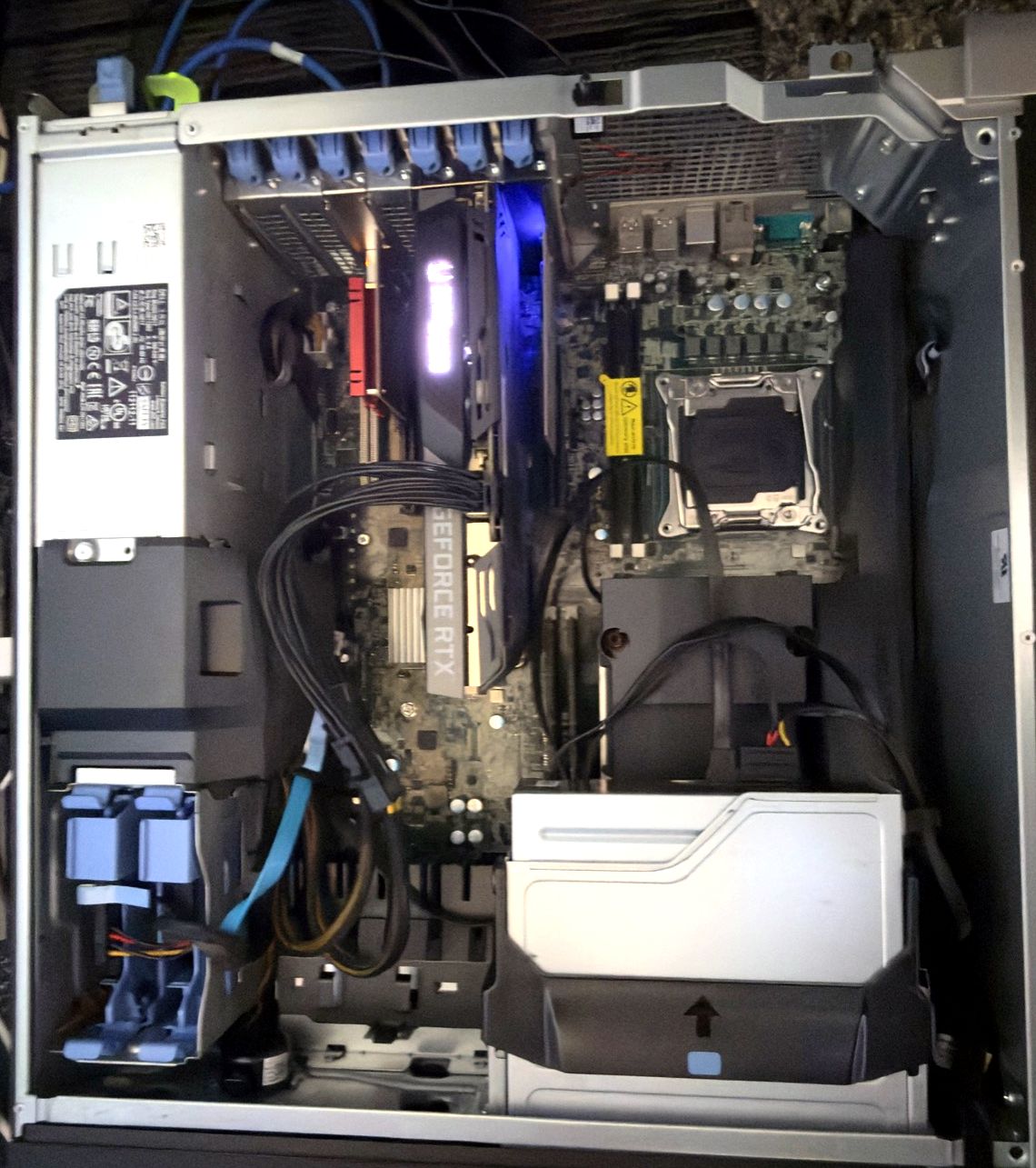
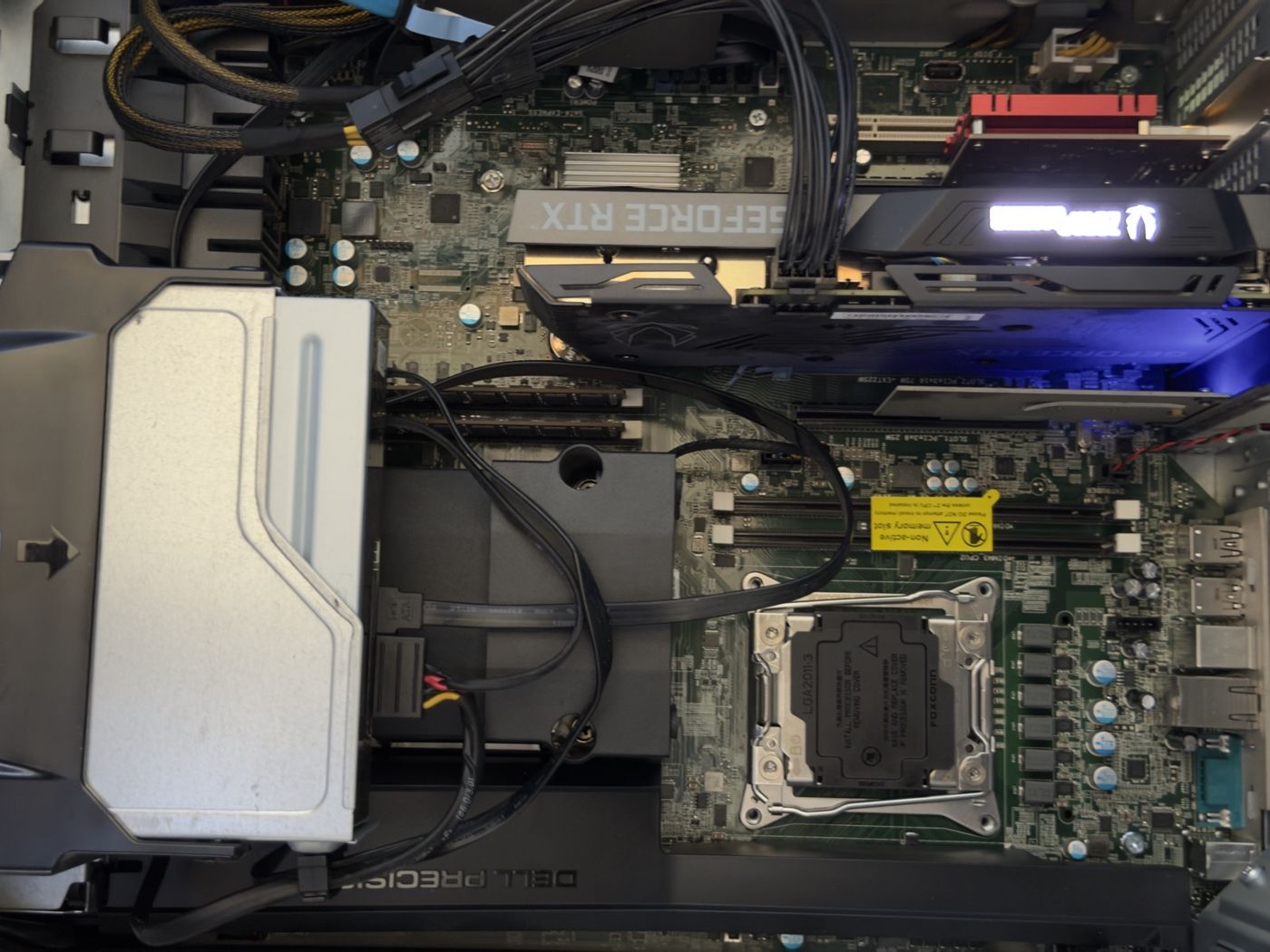
- Shut down cleanly first. Guests set to start on boot come back on their own; it is still worth a clean shutdown so nothing is mid-write.
- Photograph the BIOS settings. Virtualisation, VT-d and boot mode are what Proxmox and the GPU depend on, and a CPU change or a BIOS update can reset them.
- Update the BIOS first. The new chip did need one, a small update, before the board would take it.
- Swapped on 23 September 2026. Same socket, same memory, same everything else.
AFTER: CONFIRM THE HOST SEES IT
lscpu | grep 'Model name'      # Intel(R) Xeon(R) CPU E5-2697A v4 @ 2.60GHz
nproc                          # 32

# and every guest came back
pct list
qm list
SPENDING IT
More cores only help if guests are allowed to use them. In Proxmox a container's share is one setting, and it applies to a running container without a reboot:
GIVE A CONTAINER MORE CORES, LIVE
pct set 107 --cores 12
pct config 107 | grep cores
That one line is where the upgrade paid off most visibly. The AI container went from six cores to twelve, and a 35-billion-parameter model that runs partly on the CPU roughly doubled its speed, from 15–19 to about 36 tokens per second. The details are in part 6.
THE TAKEAWAY
Buy for the constraint you actually have. The lab had enough memory and enough disk; it was short of threads, and one second-hand server CPU in the same socket fixed that. Once compute was sorted, the limit was something the CPU could not touch: 8 GB of GPU memory. Before that, though, came the discovery that the backups had stopped. That is part 4.
ASK AN AGENT
PROMPT: IS THE CPU MY BOTTLENECK, AND WHAT CAN THIS BOARD TAKE?
I run Proxmox on this machine. Read only.

1. Tell me whether CPU is actually the constraint: host load over the last week, per-guest CPU, steal and iowait, memory pressure, and disk latency. Rank the bottlenecks with evidence.
2. Identify the exact board, BIOS version and current CPU from dmidecode.
3. List the CPUs this board supports at this BIOS version, and whether a BIOS update is needed for any of them. Cite the vendor's documentation, not forum guesses.
4. Shortlist three upgrades by cores, clock and TDP, with what each would change for my workload.
THE SERIES
- It started with a Raspberry Pi
- One Ubuntu box and a macvlan network
- Moving to Proxmox, one service per container
- Four cores to sixteen
- Sixteen days of backups that weren't
- Choosing a 70-watt GPU
- Twelve cores and most of a GPU
- Building the lab with an agent in the loop
- One GPU, three containers, one owner
- From a browser kiosk to a 3 MB TUI